
Your workspace, your world
When you sign up for Droog Assist, you don’t just get an account; you get your own private workspace. Everything inside your workspace, your assistants, your documents, your users, and your conversations — belongs exclusively to your organisation. No one else can see it, access it, or share it. This is what we mean by multi-tenancy: many organisations using the same platform, each with complete separation and privacy.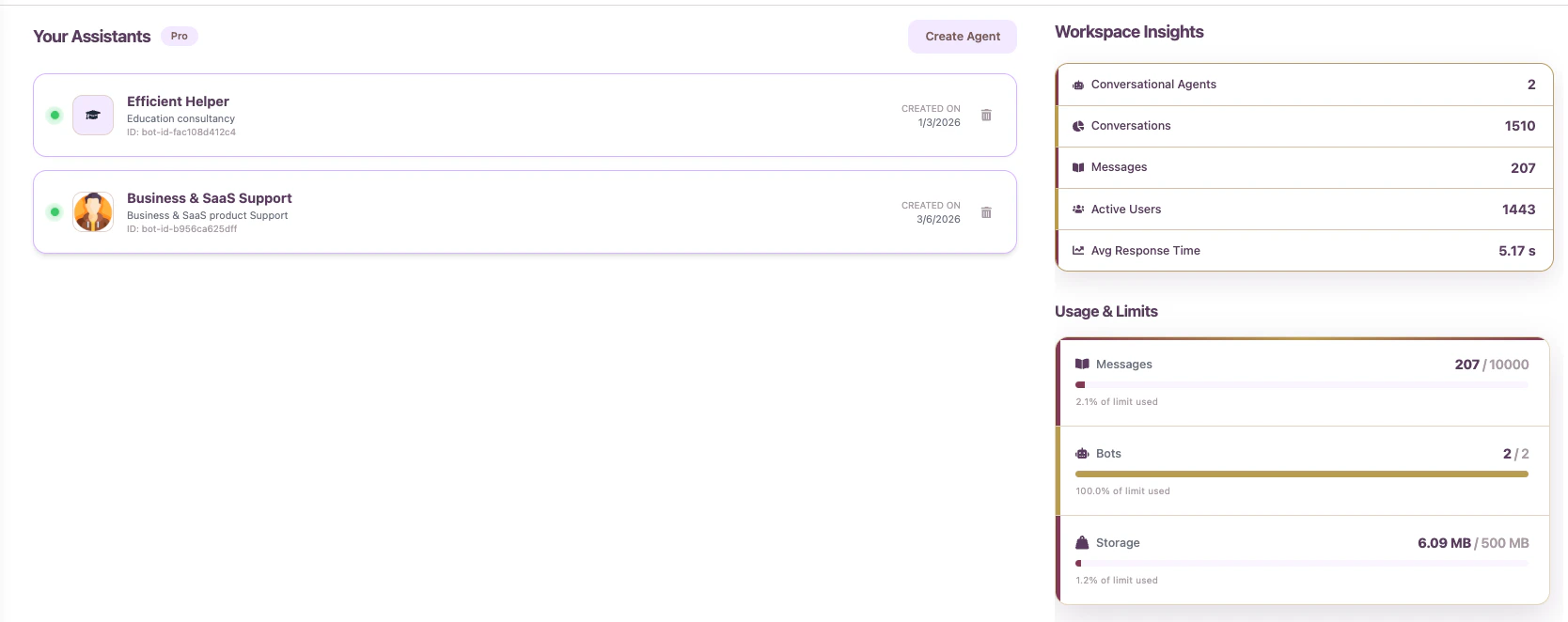
Each organisation has its own isolated workspace — fully separate from all other tenants on the platform
Think of it like a private office building
Imagine a large office building with many companies inside. Each company has its own floor, its own staff, its own filing cabinets, its own locked doors. The building (Droog’s platform) is shared, but every floor (your workspace) is completely private.You cannot walk into another company’s floor, nor can they walk into yours.
Your data is never mixed with another organisation’s data, not in storage, not in search, and not in any AI response.
What lives inside your workspace
When you log into Droog, everything you see and manage belongs to your organisation alone.Your Assistants
All the AI assistants you create live here. Each one is configured for a specific purpose, audience, or product.
Your Knowledge Base
All the documents, files, and websites you upload are stored exclusively in your workspace.
Your Team
You control who in your organisation can log in, manage assistants, or view conversations.
Your Analytics
All conversation data and usage reports are visible only to you.
Managing your team (in progress)
You can invite colleagues to your workspace so they can help manage assistants, upload documents, or monitor conversations.
Invite team members from your workspace settings — assign roles to control what each person can do
- Add new team members at any time
- Remove access instantly if someone leaves
- Assign roles to control what each person can see and do
Only the Organisation Admin can invite or remove team members and change workspace settings.
Multiple assistants, one workspace
Your workspace can hold more than one assistant. This means you can create different assistants for different purposes — all managed from the same place. For example:
Each assistant has its own knowledge base, personality, and deployment settings. Changing one does not affect the others.
Your workspace is yours — always
Your data is never used to train shared AI models. Your documents, your conversations, and your users’ information stay inside your workspace and are never shared with other organisations on the platform.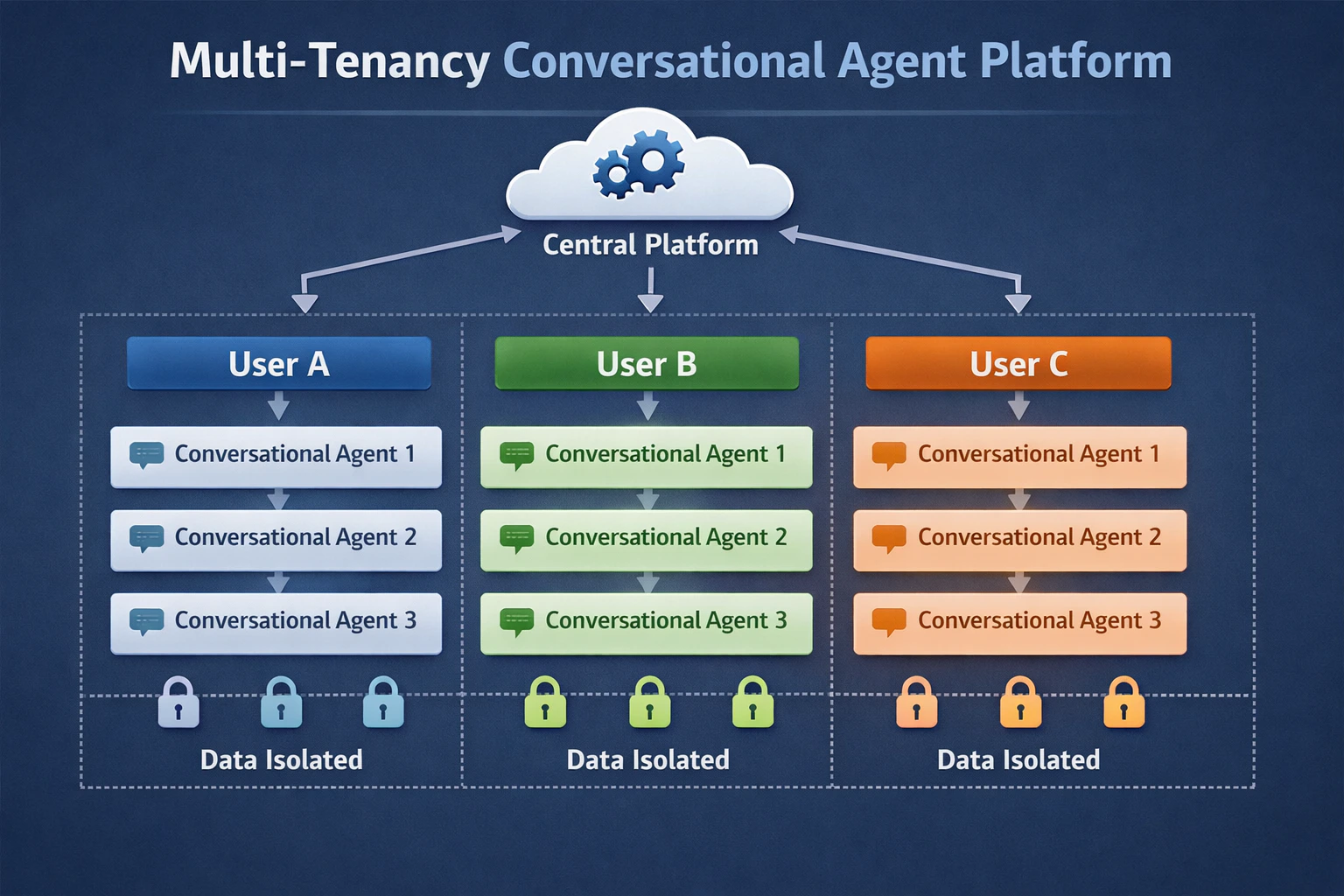
Data isolation — your workspace is fully separated from all other organisations on Droog's platform
What’s next?
Create your first assistant
Set up an assistant inside your workspace in minutes.
Manage your knowledge base
Upload the content your assistants will use to answer questions.
Have a question? Reach us at contact@droog.io